
OptiKPI provides detailed campaign performance reports to help you analyze key metrics and measure success. Click the report icon for a quick metric overview or ‘View Full Report’ for detailed insights. The campaign report consists of 5 tabs, each offering different insights into campaign performance and settings.
Overview
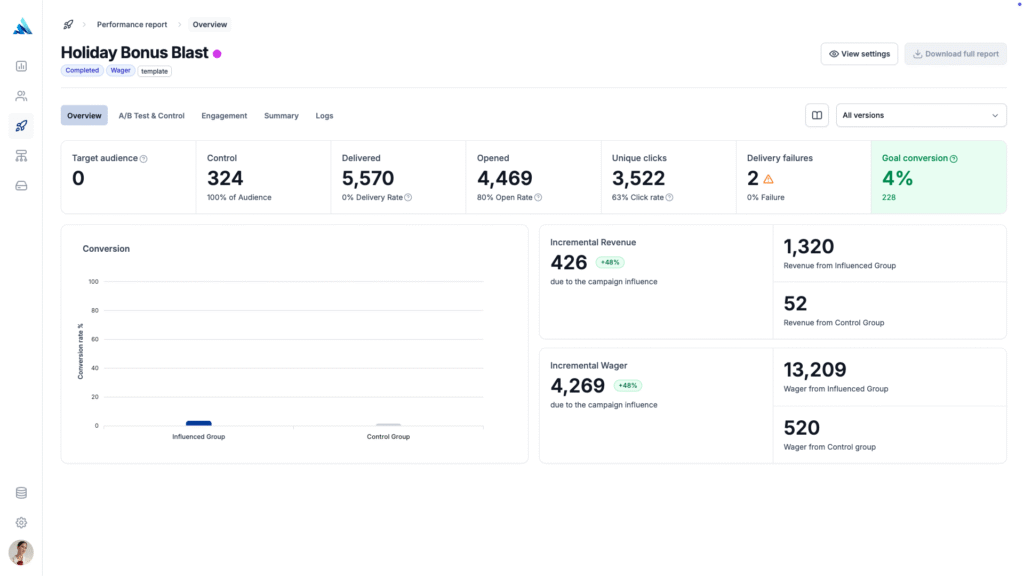
Provides a high-level summary of campaign performance, including delivery metrics, conversion rates, and financial impact based on campaign goals.
- Campaign Delivery Report – Tracks the number of messages sent, opened (open rate is only available for emails), and clicked, along with any delivery errors.
- Conversion Rate – Measures how targeted customers reacted to the campaign based on the campaign’s goal settings.
- Financial Attribution – Available if the campaign’s goal is set as a financial objective (e.g., deposits, purchases).
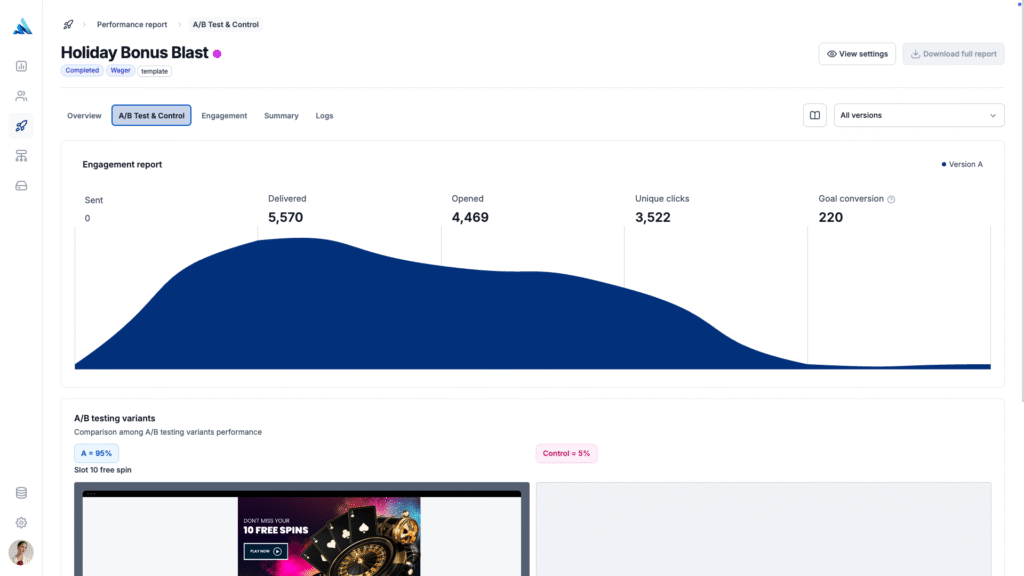
A/B Testing & Control
Compares campaign variants and control groups, analyzing delivery, engagement, and financial impact. This helps determine the best-performing variation, providing data-driven insights for future optimization.
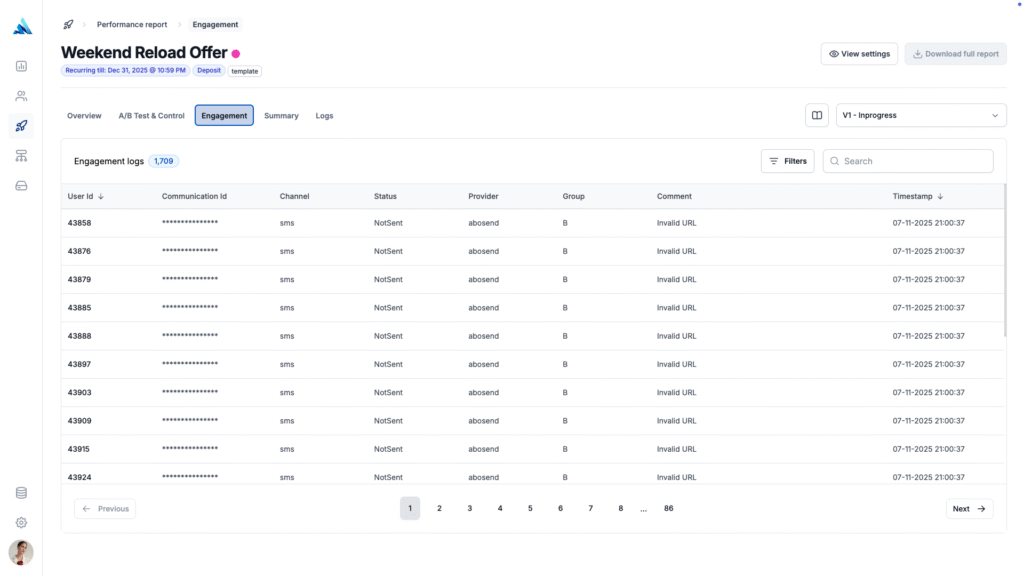
Engagement
Tracks how customers interacted with the campaign, including opens (for emails), clicks, logins, purchases, or any other goal-related actions. This tab helps measure real engagement levels and how effectively the campaign influenced customer behavior.
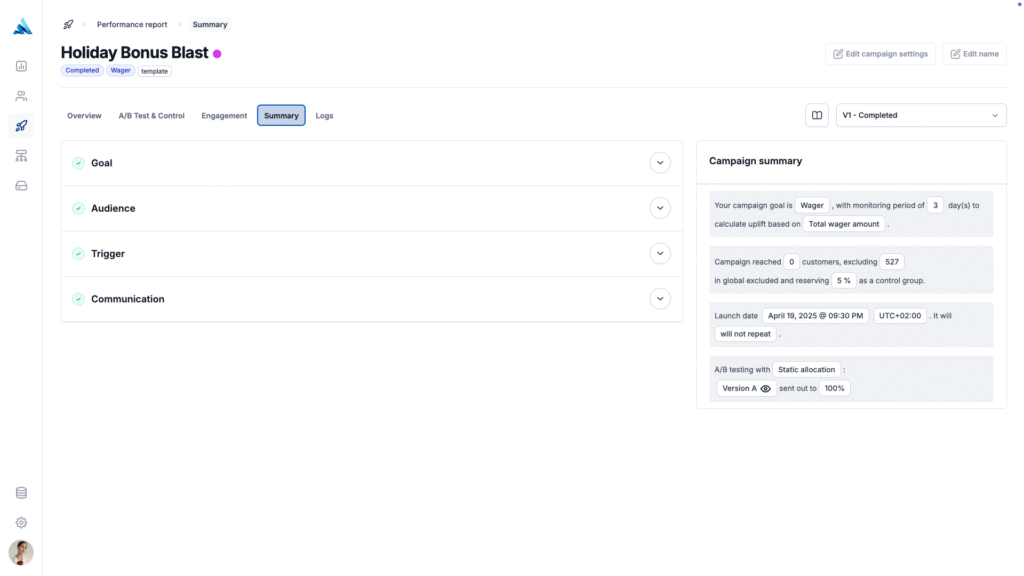
Summary
Provides a detailed breakdown of the campaign’s configuration and settings, including goal, audience, triggers, communication content, and scheduling. This allows users to review and validate the campaign setup at any time.
Logs
Maintains a complete history of all campaign edits, updates, and changes, ensuring full transparency. Users can track who made changes, when updates occurred, and what modifications were applied, helping with audit tracking and campaign version management.